• Facebook
  • X
  • LinkedIn
  • Youtube
  • Instagram
  • SUPPORT
  • EMA LOGIN
  • MEDIA ROOM
    • News
    • News Coverage
    • Media Library
    • Document Library
    • Awards
  • ABOUT
    • Contact
    • Company
    • Social Responsibility
    • Careers
    • Global Website
    • APsmart
  • en English
    • en English
    • es Spanish
APsystems USA |  The global leader in multi-platform MLPE technology
  • Homeowners
    • Solution
    • DIY Portable Solar (EZ1 Plug-in Micro)
    • Buy/Find an Installer
    • Resources
    • FAQ
    • Warranty
  • Professional Installers
    • Solution
      • Product Line
      • Microinverters
      • APstorage
      • Monitoring
      • Accessories
        • Combiner Box
      • APsmart RSD
      • Apps & Tools
    • Resources
      • Document Library
      • Media Library
      • Support
      • Register Installer EMA Account
      • Warranty
      • Training Portal
        • APsystems Academy
        • Videos
    • Installer Partner Program
    • How to Order
  • Success Stories
    • Installation Spotlights
    • Partner Testimonials
    • Partners
    • APsystems Awards
  • Menu Menu
BUY EZ1 DIRECT FROM APSYSTEMS

Your Home. Your Power. It’s that Simple.

Plug In. Power Up.

Simple, DIY solar for balconies, patios, gardens, and portable setups — no proffesional installation required. EZ1 is a plug-in microinverter is designed to make solar more accessible. If you can plug it in, you can power it.

FIND A COMPLETE EZ1 KIT
EZ1 AT A GLANCE

Solar You Can Install Yourself

Clean energy — without the complexity

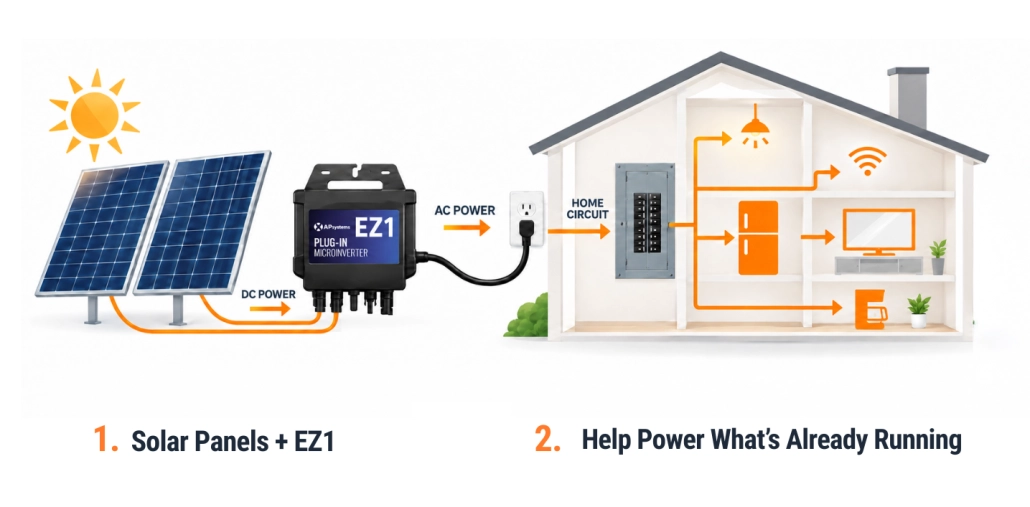
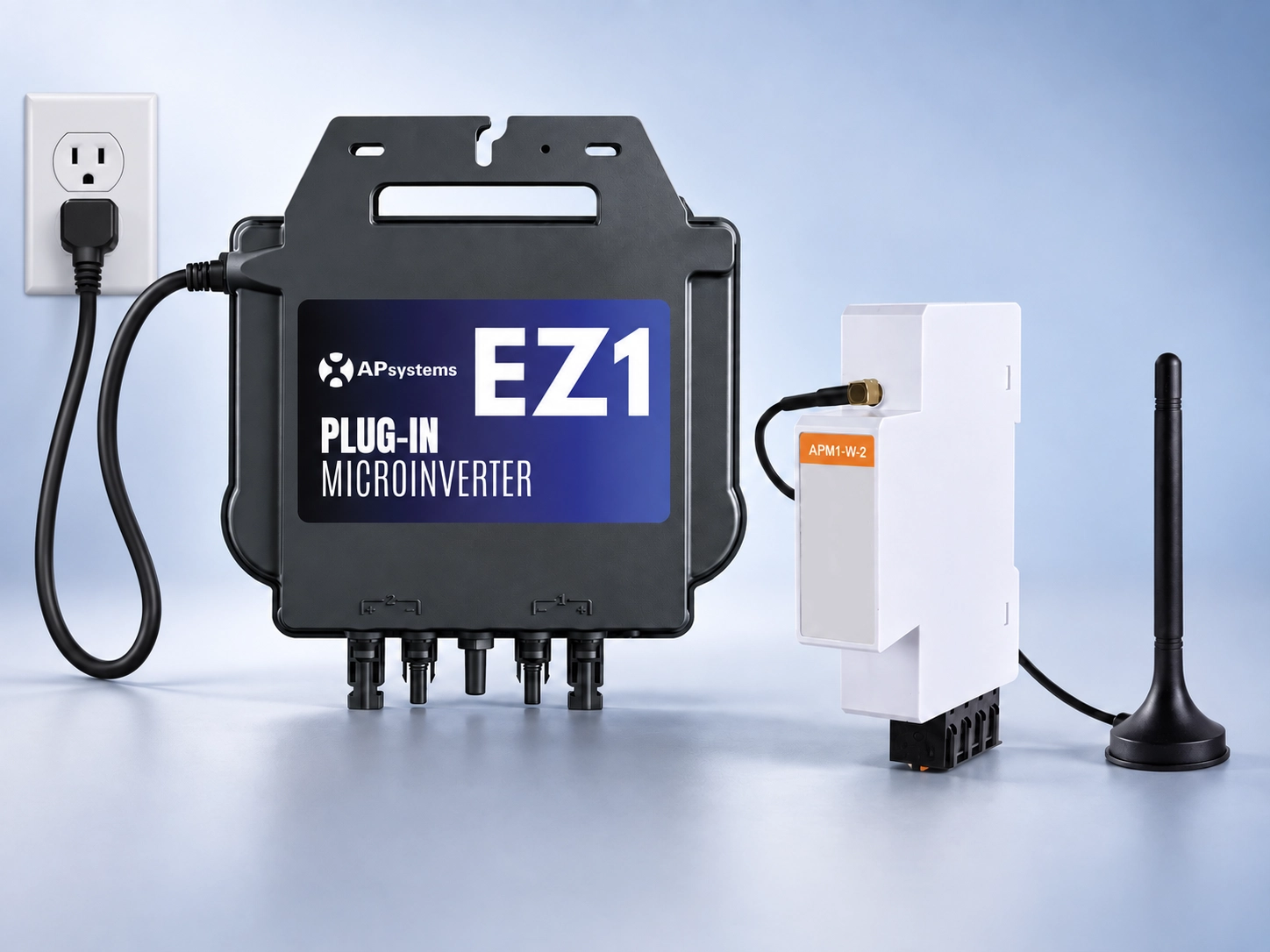
EZ1 is designed for people who want solar without a complicated installation. It connects to two solar panels and plugs directly into a standard wall outlet, allowing you to start generating power right where you live.

No rooftop system. No complex wiring. Just simple, plug-and-play solar.

EZ1 AT A GLANCE

Why People Choose EZ1

Designed for safety, simplicity, and performance

1. DIY-friendly, plug-and-play design

2. No rooftop installation required

3. Real-time monitoring on your smartphone

4. Built on proven APsystems technology

5. Designed for long-term reliability

EZ1 brings clean energy to homes that were previously left out of solar.

SEE EZ1 IN ACTION

EZ1 Plug-In Microinverter at a Glance

Simple solar that works with your home

The APsystems EZ1 is built to make solar easy—no complicated installs, no guesswork. Just plug it into a standard wall outlet, and it starts sending power into your home right away.

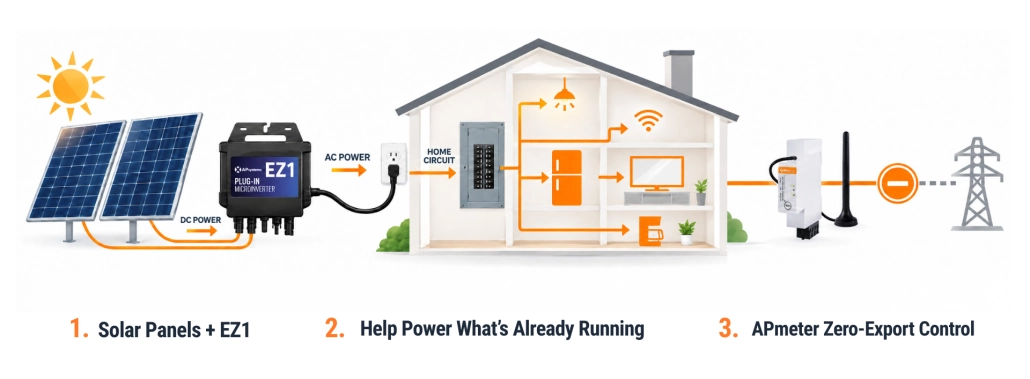
Here’s the part most people don’t realize: the electricity your solar produces doesn’t go “somewhere else”—it gets used right inside your home first. When EZ1 is running, it syncs with your home’s electrical system and helps power whatever is already on—your fridge, Wi-Fi, lights, and more. That means you’re pulling less electricity from the grid, and your meter slows down. If your system produces more power than you’re using, the extra energy can flow back out to the grid, depending on your local utility setup.

Designed for balconies, patios, gardens, and other small-scale setups, EZ1 supports two solar panels with independent performance tracking for maximum energy production. Built-in Wi-Fi and Bluetooth make it easy to monitor everything right from your phone.

No complicated setup. No rewiring your home.
Just plug it in and start using your own power.
EZ1 RESOURCES & SUPPORT

Key Features

Safe

  • Single panel parallel input structure, DC voltage less than 60V

  • Safety protection relay integrated
  • Built-in VDE relays

Reliable

  • Maximum reliability, IP67

  • Up to 20 years warranty

Flexible & Compact

  • One microinverter connects to two solar panels
  • Integrated Wi-Fi and Bluetooth

  • 500W; 800W or 960W

  • Dedicated for balcony and DIY systems
  • Small & lightweight

  • Adapts to various installations

Smart

  • Dedicated APP EasyPower, only 1 minute to connect the system
  • Monitors each module’s power generation

Powerful

  • Two input channels with independent MPPT
  • High input current to adapt to large panels
  • Industry-leading peak efficiency of 97.3%
  • Max output power reaching 600/799 or 960VA

How to Buy EZ1

Flexible ways to get started

You can purchase the EZ1 Plug-In Microinverter directly from APsystems through our official online store.

BUY EZ1 DIRECT FROM APSYSTEMS

Kitting Distributors

Looking for a complete solution? EZ1 kits are also available through trusted, certified partners.

Where EZ1 Works Best

Made for real spaces, real homes

EZ1 is ideal for:

  • Apartments and balconies
  • Patios and backyards
  • Sheds and small structures
  • Portable or temporary solar setups

If traditional rooftop solar isn’t an option for your home, EZ1 was built for you.

“I am loving my two EZ1 inverters. In central Texas, I have consistently generated over 5 kWh per day. The installation process was a breeze, and the app is super user-friendly, it has been a seamless experience overall.”

ChrisTexas Homeowner

“Quick shipping and well packed in a sturdy box. All items ordered were received. A very easy setup with clear instructions. Probably less than five minutes to hookup. Works fine. Will recommend to others.”

DavidPennsylvania

“I have them on my home and get an extra 3.5+kWh or more per day from them. Easy to install and monitor!”

TedUtah Homeowner & Installer
PreviousNext

Built-In Support from APsystems

We don’t just ship products — we back them

People using EZ1 have access to:

  • Easy-to-follow setup guides and FAQs
  • Helpful how-to videos and resources
  • Direct APsystems customer support
  • Ongoing updates and insights through the AP EasyPower App
CHECKOUT OUR FAQS
TALK TO US ABOUT EZ1

Monitor Your Power

See your solar in action

EZ1 connects via Bluetooth and Wi-Fi, allowing you to monitor system performance through the EMA app. Track production, view insights, and see your energy in real time — anytime, anywhere.

Dedicated EasyPower App

AP EasyPower is a smart home energy management tool that provides local and remote management services for EZ1 microinverter devices.  With AP EasyPower , people can register online up to 2 EZ1 microinverters Maximum per system to further access their solar production anywhere, anytime. EZ1 users have to register their system online via WiFi on the AP EasyPower to be eligible for the product warranty.

  • Direct connecting with Bluetooth
  • Real-time monitoring
  • Online diagnosis & maintenance
DOWNLOAD FOR iOS DOWNLOAD FOR ANDROID

Product Documentation

APsystems EZ1-LV Quick Installation Guide

APsystems EZ1-LV Datasheet

APsystems EZ1-LV User Manual

APsystems EasyPower App User Manual

APsystems EZ1 Accessories Summary

APsystems EZ1 Microinverter Limited Warranty

APsystems EZ1 Brochure

APsystems EZ1 Module Compatibility Calculator

Training Videos

In this video, we show you how to get up and running:
🌱 Install the panels
⚡ Connect the microinverter
🔌 DC wiring
🔌 AC connection
📲 Connect and monitor in the app
From setup to power in minutes, EZ1 makes balcony solar easy and accessible.
Follow along and see how simple it is to start generating your own energy. 
Learn more 👉 https://usa.apsystems.com/ez1

In this video, we show you how to get up and running:
🌱 Install the panels
⚡ Connect the microinverter
🔌 DC wiring
🔌 AC connection
📲 Connect and monitor in the app

From setup to power in minutes, EZ1 makes balcony solar easy and accessible.

Follow along and see how simple it is to start generating your own energy.

Learn more 👉 https://usa.apsystems.com/ez1

0 0

YouTube Video YC5gBlNtln4

EZ1 Balcony Scenario Application (Standard)

APsystems North America April 1, 2026 8:55 pm

Working with flexible solar panels on your balcony? This setup keeps things simple—no mounting brackets required.
In this video, we show you how to get up and running:
🌱 Install the panels
⚡ Connect the microinverter
🔌 DC wiring
🔌 AC connection
📲 Connect and monitor in the app
From setup to power in minutes, EZ1 makes balcony solar easy and accessible.
Follow along and see how simple it is to start generating your own energy. 
Learn more 👉 https://usa.apsystems.com/ez1

Working with flexible solar panels on your balcony? This setup keeps things simple—no mounting brackets required.

In this video, we show you how to get up and running:
🌱 Install the panels
⚡ Connect the microinverter
🔌 DC wiring
🔌 AC connection
📲 Connect and monitor in the app

From setup to power in minutes, EZ1 makes balcony solar easy and accessible.

Follow along and see how simple it is to start generating your own energy.

Learn more 👉 https://usa.apsystems.com/ez1

0 0

YouTube Video z7xJnIxHP_E

EZ1 Microinverter Installation (Balcony + Flexible Panels)

APsystems North America March 27, 2026 11:53 pm

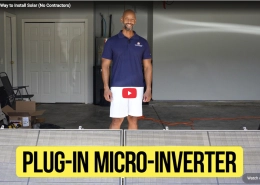
Ready to bring solar power to your garden? In this video, we walk you through how easy it is to install the EZ1 microinverter with standard solar panels in a ground-mounted setup.
Step-by-step, we cover:
🛠️ Mounting the bracket
🌱 Installing the panels
⚡ Connecting the microinverter
🔌 DC wiring
🔌 AC connection
📲 Setting up the system in the app
With EZ1, turning your outdoor space into a clean energy source is simple. Plug in, power up, and start generating.
Learn more 👉 https://usa.apsystems.com/ez1

Ready to bring solar power to your garden? In this video, we walk you through how easy it is to install the EZ1 microinverter with standard solar panels in a ground-mounted setup.

Step-by-step, we cover:
🛠️ Mounting the bracket
🌱 Installing the panels
⚡ Connecting the microinverter
🔌 DC wiring
🔌 AC connection
📲 Setting up the system in the app

With EZ1, turning your outdoor space into a clean energy source is simple. Plug in, power up, and start generating.

Learn more 👉 https://usa.apsystems.com/ez1

0 0

YouTube Video sth8kDrBvYQ

EZ1 Microinverter Installation (Garden Setup)

APsystems North America March 27, 2026 11:48 pm

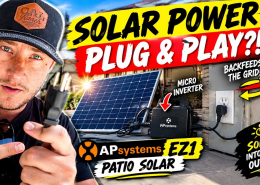
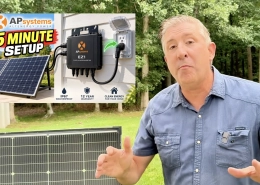
Plug in & power up with EZ1
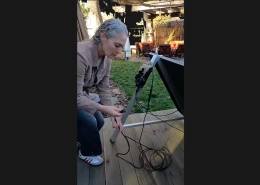
Teddy Hodges shows just how simple solar can be. Connect your panel(s), plug the EZ1 micro into a standard outlet, download the AP EasyPower app, and connect via Bluetooth to start monitoring production in real time. In just a few easy steps, you’re generating power and tracking performance right from your phone.
Dual-module performance, built-in Wi-Fi & Bluetooth, and no complicated install.
Do-it-yourself solar, made EZ — from APsystems.
https://go.apsystems.com/ez1-portable-solar
#APsystems #EZ1 #Microinverter

Plug in & power up with EZ1

Teddy Hodges shows just how simple solar can be. Connect your panel(s), plug the EZ1 micro into a standard outlet, download the AP EasyPower app, and connect via Bluetooth to start monitoring production in real time. In just a few easy steps, you’re generating power and tracking performance right from your phone.

Dual-module performance, built-in Wi-Fi & Bluetooth, and no complicated install.

Do-it-yourself solar, made EZ — from APsystems.

https://go.apsystems.com/ez1-portable-solar

#APsystems #EZ1 #Microinverter

6 0

YouTube Video ok43IGjb-Bo

Plug-in & Power Up with EZ1

APsystems North America March 2, 2026 8:51 pm

Learn how to quickly register your account in the APsystems EasyPower App and easily link your EZ1 microinverter for seamless energy monitoring and system control. This step-by-step guide walks you through the APsystems account setup process and shows how to connect the EZ1 device, making your solar energy system smarter and more efficient. Perfect for installers, homeowners, or anyone using APsystems solar solutions.
Stay Connected: https://apsystems.com
#Hashtags:
#APsystems #EasyPowerApp #EZ1 #Microinverter #SolarSetup #SolarMonitoring #SolarEnergy #GreenEnergy #HomeSolar #SmartEnergy #SolarTech #RenewableEnergy #CleanEnergy #SolarPower #SolarInstaller

Learn how to quickly register your account in the APsystems EasyPower App and easily link your EZ1 microinverter for seamless energy monitoring and system control. This step-by-step guide walks you through the APsystems account setup process and shows how to connect the EZ1 device, making your solar energy system smarter and more efficient. Perfect for installers, homeowners, or anyone using APsystems solar solutions.

Stay Connected: https://apsystems.com

#Hashtags:
#APsystems #EasyPowerApp #EZ1 #Microinverter #SolarSetup #SolarMonitoring #SolarEnergy #GreenEnergy #HomeSolar #SmartEnergy #SolarTech #RenewableEnergy #CleanEnergy #SolarPower #SolarInstaller

17 0

YouTube Video C0YUicqlm-8

AP EasyPower APP: Remote Mode – Register & Link

APsystems Solar July 21, 2023 7:38 pm

Learn how to connect to EZ1 via Bluetooth with this step-by-step guide from APsystems. Whether you're a solar installer or homeowner, this walkthrough makes connecting your EZ1 inverter fast and simple. Discover how to enable Bluetooth, pair your device, and troubleshoot connectivity—perfect for first-time users or anyone needing a quick refresher.
This APsystems Bluetooth tutorial ensures you're always in control of your energy monitoring, right from your smartphone. Get connected in just a few minutes and start managing your solar power like a pro.
Stay Connected: https://apsystems.com
#APsystems #EZ1 #BluetoothConnection #SolarInverter #SolarPower #SolarInstallation #EZ1Setup #BluetoothSetup #RenewableEnergy #SmartEnergy #CleanTech #SolarSolutions #HowToConnectEZ1 #InverterBluetooth #SolarTech #GreenEnergy #SustainableLiving #EnergyMonitoring #HomeEnergy

Learn how to connect to EZ1 via Bluetooth with this step-by-step guide from APsystems. Whether you're a solar installer or homeowner, this walkthrough makes connecting your EZ1 inverter fast and simple. Discover how to enable Bluetooth, pair your device, and troubleshoot connectivity—perfect for first-time users or anyone needing a quick refresher.

This APsystems Bluetooth tutorial ensures you're always in control of your energy monitoring, right from your smartphone. Get connected in just a few minutes and start managing your solar power like a pro.

Stay Connected: https://apsystems.com

#APsystems #EZ1 #BluetoothConnection #SolarInverter #SolarPower #SolarInstallation #EZ1Setup #BluetoothSetup #RenewableEnergy #SmartEnergy #CleanTech #SolarSolutions #HowToConnectEZ1 #InverterBluetooth #SolarTech #GreenEnergy #SustainableLiving #EnergyMonitoring #HomeEnergy

16 0

YouTube Video VZI5D2TLWHI

AP EasyPower APP: Direct Connect Mode

APsystems Solar July 6, 2023 6:35 pm

Subscribe

Got Questions?

Checkout these FAQs

Product Overview

What is the primary use case for the EZ1 Series?

The EZ1 is designed for DIY, balcony, and mobile solar applications. It is a Wi-Fi/Bluetooth integrated microinverter that simplifies connectivity by removing the need for a dedicated ECU gateway. It is ideal for smaller systems (1-2 modules) where a full residential setup is not required.

How does the EZ1 differ from the DS3 or QT2 series?

Integrated Comms: The EZ1 has built-in Wi-Fi and Bluetooth. The DS3/QT2 require an external ECU (ECU-R, ECU-C, etc.) for monitoring.

Plug-and-Play: The EZ1 is designed for simplified AC connections, often using a standard plug (where code permits), whereas DS3/QT2 are hardwired for roof-mount arrays.

What is the maximum power capacity?

AC Output: The EZ1-M is rated for 800W maximum continuous output.

DC Input: It features 2 independent input channels that can handle PV modules ranging from 300W up to 730W+ each.

Installation & Connectivity

Do I need an ECU (Energy Communication Unit) to commission the EZ1?

No. You can commission the EZ1 using Direct Connect (Bluetooth) via the smartphone app.

Which app do I use to set this up?

You must use the AP EasyPower app.

Important: Do not use the standard “EMA Manager” app. EMA Manager is for professional installers setting up DS3/QT2 systems with an ECU. AP EasyPower is the dedicated app for EZ1 DIY/Single-system users.

What is the difference between "Local Mode" and "Remote Mode"?

Local Mode (Bluetooth): Used for commissioning, checking real-time data while standing near the unit, and adjusting settings. No internet required.

Remote Mode (Wi-Fi): Connects the EZ1 to the home’s Wi-Fi router. This allows the system to send data to the EMA cloud for long-term monitoring from anywhere.

Is "Plug-in" solar legal in the US?

It depends on the local jurisdiction. While the EZ1 hardware supports plug-and-play, the National Electrical Code (NEC) generally requires a dedicated branch circuit for permanent solar installations.

Check with your local Authority Having Jurisdiction (AHJ) or inspector before plugging a solar system directly into a standard wall outlet for permanent use.

Can I use extension cables for the AC output?

Yes, but ensure the cable is rated for outdoor use (UV resistant, weather-sealed) and properly sized for the voltage drop over distance. Always follow local NEC guidelines regarding temporary vs. permanent wiring.

Operations & Troubleshooting

The LED is flashing Red. What does that mean?

Slow Red Flash: The inverter is producing power, but there is no communication with the cloud/app (Wi-Fi issue).

Steady Red: Critical Fault. This usually indicates a Ground Fault or hardware failure.

Action: Disconnect AC and DC, inspect cables for damage, and reconnect. If it persists, contact support.

Why does the app show "0W" output even when the sun is out?

Grid Check: Ensure the AC cable is plugged in and the breaker is ON. The EZ1 is grid-tied and will not produce power if the grid is down.

Start-up Voltage: Ensure the DC voltage from the panels is within the MPPT operating range (16V–60V).

Grid Profile: Verify the correct Grid Profile (e.g., IEEE 1547 for US) was selected during commissioning.

Pro-Tip Corner

The Bluetooth Button

If a your need to change your Wi-Fi password, you don’t need to climb up to the unit. You can reconnect via Bluetooth (standing nearby) to update the Wi-Fi credentials in the app.

Cabling

Reminder, the EZ1 uses a proprietary AC connector on the unit side—do not cut/splice this connector or it may void the warranty.

The "M" in EZ1-M

The “M” stands for Dual Input. It handles two panels at once.

Still Have Questions About EZ1?

Need Support?

Loading

APsystems

APsystems is the #1 global multi-platform MLPE solution provider, offering microinverter, energy storage and rapid shutdown devices for the solar PV industry. APsystems brands include APsmart and APstorage. Founded in Silicon Valley in 2010, APsystems encompasses 6 global business units serving customers in over 160 countries. With millions of units sold producing more than 8TWh of clean, renewable energy, APsystems continues to be a leader in the ever-growing solar MLPE segment.

News

  • Swiftwater Electric & Solar Builds Community Resilience with Award-Winning Installation in Friday Harbor, WAApril 16, 2026 - 10:44 pm
  • When Teddy interviews… TeddyMarch 19, 2026 - 9:54 pm
  • Portable solar expands consumer access while creating new installer opportunitiesMarch 24, 2026 - 8:26 pm
  • How tough are APsystems microinverters you ask?March 23, 2026 - 11:40 pm
  • March Madness is here, and so are the savings! [EXTENDED]March 23, 2026 - 10:31 pm
SUBSCRIBE TO OUR NEWSLETTERS

apsystemscorp

854

APsystems is #1 global multi-platform MLPE solution provider, offering microinverter, energy storage & rapid shutdown devices for the solar industry.

apsystemscorp

View Instagram post by apsystemscorp

Apr 16

Open post by apsystemscorp with ID 17882911386533422
Solar powers homes. We’ll handle the caffeine. ☕️⚡️
Leave a public review of APsystems in the next 30 days, send us a screenshot, and you could win one of ten $50 Starbucks gift cards. Because whether it’s first coffee or fifth… we’ve got you covered.
Just leave a review on Google, EnergySage, or SolarReviews within the next 30 days and submit a screenshot of your live review at the link in our bio. 
Each review posted = one entry. Post on multiple platforms for more chances to win.

apsystemscorp

View Instagram post by apsystemscorp

Apr 15

Open post by apsystemscorp with ID 18099044105097731
Plug-in solar is picking up serious momentum.
Maine is now the third U.S. state to pass plug-in solar legislation, joining Utah and Virginia and continuing to expand access to small, outlet-connected systems up to 1,200W.
With fewer barriers like interconnection fees and a mix of DIY and professional install options, it’s another step toward making solar more accessible for homeowners and renters alike.
Learn more about our EZ1 plug-in microinverter and how it makes solar simple, flexible, and accessible: Link in bio.
#APsystems #Solar #PlugInSolar #CleanEnergy #EnergyAccess

apsystemscorp

View Instagram post by apsystemscorp

Apr 14

Open post by apsystemscorp with ID 18148238956469806
Something good’s coming
New DS3 training video dropping soon — and yeah, it’s actually worth your time.
We’re talking quicker installs, cleaner setups, and a few tricks to make your systems run even better.
Less headaches. More solid installs.
Stay tuned.
#APsystems #DS3 #SolarTraining

apsystemscorp

View Instagram post by apsystemscorp

Apr 13

Open post by apsystemscorp with ID 18110801191838447
Getting started should be just as simple as getting connected.
With the EasyPower App, setting up your account and linking your EZ1 is quick and seamless. In this video, we walk through how to register, connect your device, and take control of your system in just a few steps.
Download the app, link your EZ1, and start monitoring your energy with ease.
Learn more about the EZ1 at the link in our bio.
#APsystems #EZ1 #Solar #EnergyMonitoring

apsystemscorp

View Instagram post by apsystemscorp

Apr 9

Open post by apsystemscorp with ID 17849057766677867
At APsystems, we believe the best learning happens in the field, not just in a presentation. 
That’s why we’re passionate about getting out with our partners and delivering hands on training that brings our technology to life. From installation best practices to system optimization, our team is committed to making sure you feel confident every step of the way.
We truly enjoy connecting face-to-face, answering real time questions, and working alongside your team to ensure success on every project.
If this is something you and your team are interested in, reach out to your sales representative or email sales.usa@apsystems.com to get a training scheduled. 
We cant wait to work with you!

apsystemscorp

View Instagram post by apsystemscorp

Apr 8

Open post by apsystemscorp with ID 17940368361187648
🎙️ Episode 17 featuring Suki of Ready Solar is live from RE+!
In this episode, Teddy sits down with Suki, owner of Ready Solar in Burnaby, British Columbia, to talk about his unconventional journey into the solar industry and how he built his company from the ground up starting in 2020.
Suki shares how he entered solar with no prior electrical or construction experience, pivoting from a background in finance and trading after a backyard vertical farming project sparked his interest in energy. What followed was a rapid learning curve, building systems, hiring his first crew, and scaling into a growing EPC serving both residential and commercial customers.
At the core of Ready Solar is a commitment to quality. Suki explains why cutting corners and chasing the lowest price per watt does not lead to long-term success, and how focusing on durability, craftsmanship, and customer pride creates better outcomes for everyone involved.
One of the biggest takeaways from this episode is simple but powerful: read the instructions. From inverters to system components, Suki emphasizes how going back to the basics can prevent mistakes and improve performance across the board.
Catch the full conversation and subscribe for more at the link in our bio.
#TEDDYTalks #APsystems #ReadySolar #Suki #SolarIndustry #SolarEnergy #REPlus #Microinverters #BatteryStorage #SolarInstallers

apsystemscorp

View Instagram post by apsystemscorp

Apr 7

Open post by apsystemscorp with ID 18023085203641869
We’ve made it easier to connect 🇺🇸🇨🇦
Our USA website now offers Spanish translation, and our Canada site includes a French option for French Canadian customers.
Because support should speak your language.
Explore the updates and navigate with ease. 
#APsystems #SolarEnergy #CleanEnergy #SolarIndustry #EnergyAccess

apsystemscorp

View Instagram post by apsystemscorp

Apr 6

Open post by apsystemscorp with ID 18100758247961873
⚡ TEDDY Talks: Tip of the Week
After major weather events, a quick system check can save you time and your customers lost production. Teddy recommends reviewing systems in the portal to confirm all microinverters are communicating and generating as expected.
Catching issues early helps reduce downtime and keeps performance on track, especially after storms or extreme conditions.
👉 Log in to EMA and review your sites today:
https://apsystemsema.com/ema/index.action
#APsystems #SolarEnergy #SolarInstallers #TipoftheWeek

apsystemscorp

View Instagram post by apsystemscorp

Apr 3

Open post by apsystemscorp with ID 18100592801475105
Getting connected shouldn’t slow you down.
With EZ1, setup is designed to be simple. In this video, we walk through how to connect via Bluetooth, pair your device, and get your system up and running in just a few minutes.
Download the app, connect, and start monitoring your system right from your phone.
Learn more about the EZ1 at the link in our bio.
#APsystems #EZ1 #Solar #EnergyMonitoring
Follow on Instagram

Contact Details

At APsystems, we are committed to providing the highest quality service to our customers and partners around the world.

8627 N. Mopac Expy, Ste 150
Austin, TX 78759
United States of America

Phone:1-844-279-8600

info.usa@APsystems.com

© Copyright Altenergy Power System Inc. | view privacy policy | view terms of service
  • Facebook
  • X
  • LinkedIn
  • Youtube
  • Instagram
Scroll to top
Help Center
  • Ask APbot a question
  • Support
  • Knowledgebase
  • APacademy Training
  • Training Videos
  • Document Library
  • EMA Registration & Login
  • Give Feedback